Thoughts on programming, web development and design.

Circuit Board

Category: Web Development Page 12 of 31

Build a Website With CSS Grid Starter Template

The best way to learn a new coding technique or design framework is to build something with it. I chose to build a website with CSS Grid. I wanted to take a book and make it a website. On Grid By Example, you can find a CSS Grid starter template that makes it simple to begin. The template has a simple two column layout: left-hand sidebar and right hand column for content. Plus, it uses an existing CSS Framework called Skeleton. I have used Skeleton to create WordPress themes.
Build website with CSS Grid Starter Template

What steps were needed to build the website?

  1. Choose and download a public domain book from Project Gutenberg
  2. Download the CSS Grid Starter Template
  3. Step up the new website with the CSS Grid Starter Template
  4. Modify the sample page with content from the ebook
  5. Create new CSS classes and modify existing ones to create the look I wanted
  6. Test and modify the CSS for mobile

Choose a public domain book for this project

You can download a public domain book from Project Gutenberg. I picked I chose Black Amazon of Mars by Leigh Brackett because I wanted to build a science fiction themed site.

Getting Started with the CSS Grid Starter Template

When you first install the template, your website looks like this:
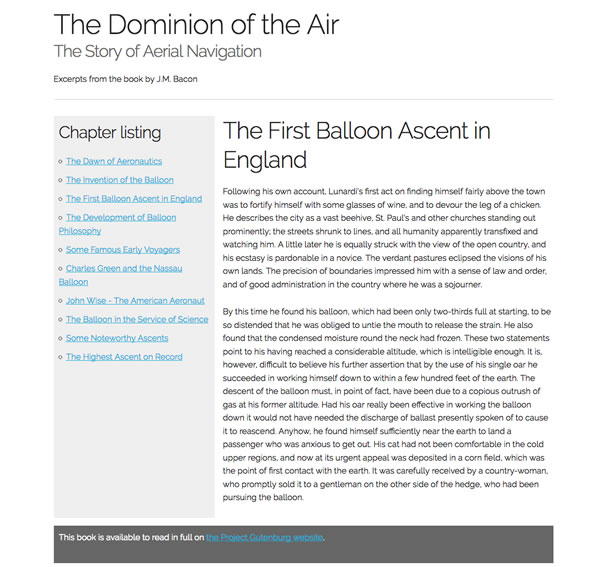
Grid By Example Two Column Template with Skeleton

My next steps were to replace the template’s content with my own and start to add new CSS to start building a simple design. Then, I downloaded images from Pixabay.com for the website. I wanted a photo of Mars for the header and a better photo for one of the chapters. It had an illustration that didn’t go with the story. The final result looks like this.
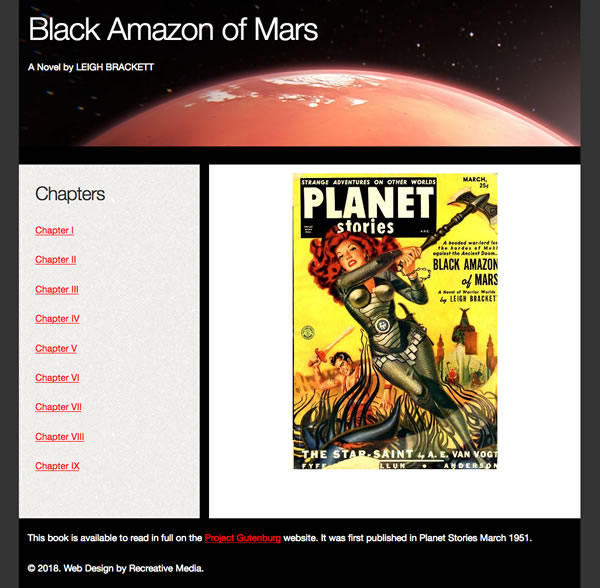
CSS Grid Template with Black Amazon of Mars

Does it work on mobile?

CSS Grid is mobile-first. I had to make changes to the CSS for the additions that I added to the website. The CSS Grid part worked beautifully on mobile.

Summary

CSS Grid Starter template helped me to get started quickly. The template did most of the work. I didn’t have to figure out the layout from scratch. I spent most of my time creating the pages, adding the content and adding design elements to make the site look better. The starter template made my first attempt in building with CSS Grid simple and easy.

5 Resources for Learning Vanilla JavaScript

Vanilla JavaScript or plain JS means you write it without using a framework or library. You don’t use a framework like jQuery, Node or AngularJS to code. With Vanilla JS, you can accomplish the same thing without the framework. You can build a lot of things for the web with JavaScript. Knowing and understanding its core engineering principles help you to make better programming decisions and write better code.

If you know some JavaScript or feel that you depend on a framework or library too much, start learning JavaScript. You can get started by reading the You Don’t Know JS book series. While you are learning, you can use one or more of the resources below to help you learn JavaScript.

Plain JS

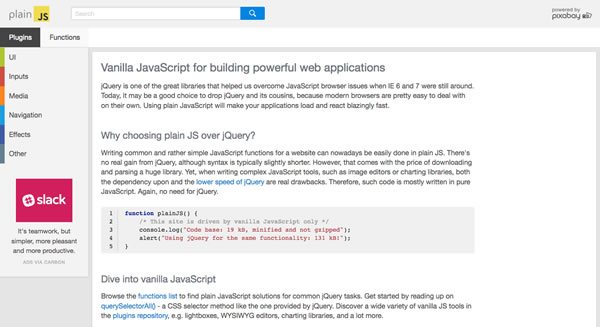
PlainJS is a collection of functions, plugins and code snippets. This resource is maintained by Pixabay.

Screenshot of PlainJS.com

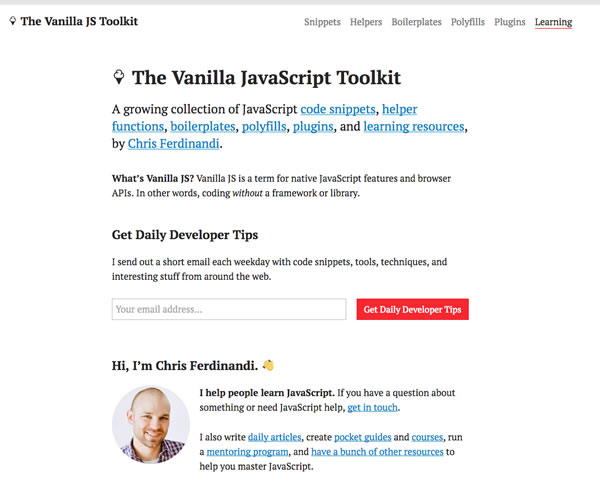
Vanilla JS Toolkit

A collection of JavaScript code snippets, functions, plugins and learning resources maintained by Chris Ferdinani. He creates paid resources like pocket guides and mini-courses to help you learn more in depth about JavaScript.

screenshot of vanilla js toolkit

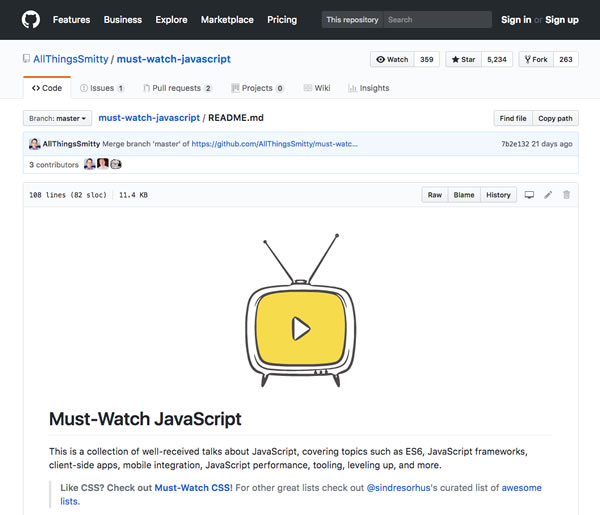
Must Watch JavaScript Talks

Must Watch JavaScript Talks is a collection of the best JavaScript talks. You’ll find talks on JavaScript, ES6, mobile apps, frameworks and more.

Screenshot of Must Watch JS

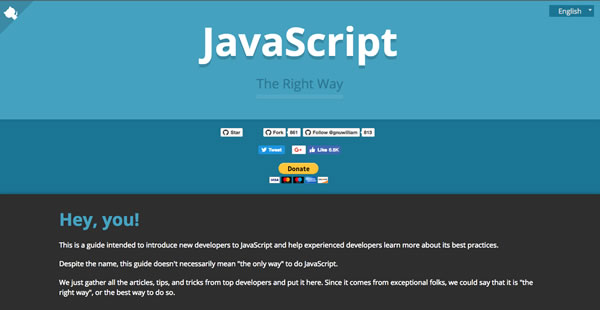
JS: The Right Way

A guide to help you learn JavaScript and its best practices. This guide contains a collection of tips and tricks from top developers.

Screenshot of JS The Right Way

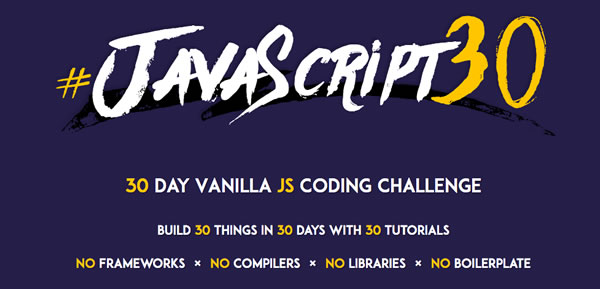
JavaScript 30

A 30 Day course on JavaScript. In this course, you will build 30 different things with JavaScript. Each day you get an email and a video explaining how to build the project for the day.

Screenshot of JavaScript30

With these tools, you can learn how to write JavaScript without depending on a framework. Web development and JavaScript are constantly changing. These tools can help you to build coding skills that you can use whether or not you use a JS framework in your projects.

Design Patterns in CTAs

What design patterns do you need to create an effective call to action? When you create a web design, you consider things like copy, color, fonts and images. The same things apply when designing your call to action.

Design Patterns in CTAs

Start with Copy

What should your call-to-action say? Use a minimal amount of copy. You want your visitors to scan your copy and quickly take action. Most calls-to-action have 1-2 sentences or a short bulleted list that convinces you to take action.

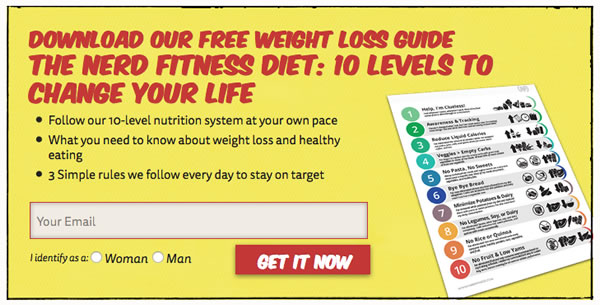
Nerd Fitness CTA

On NerdFitness.com, you can download a copy of their free weight-loss guide. Their copy uses a large heading that tells you want you are getting and 3 bullet points that explain what the guide entails. They use the copy to convince to give them your email address in exchange for their free weight loss guide.

Choose the right words for your Call-to-Action Button

You want to use words that get people to click. Start your button copy with a verb. Verbs like get, start or join. Avoid single word buttons. Instead use 2 or more words. You can add words like free or my to help people decide to click.

In the NerdFitness call-to-action, their button starts with a verb. They use “Get It Now” to convince you to download their guide.

Choose the right color for your button

Colors can affect whether or not people will click on your button. Your button need to stand out from the rest of the content. Be picky with the colors. Start with orange and test to see what colors work best.

Nerd Fitness used red. They use red on their website. It helps to make the button stand out and look like it belongs as part of the website too.

What size should your font be?

It depends. You may want to mix large fonts with small to make the copy stand out. Use a large font on your button to make it easy to read and entice your visitors to click on it. In the Nerd Fitness example, they use both large and small fonts. The size choices work to grab your attention.

How do you make it stand out?

Use photos, icons or background colors to make your CTA different enough from the rest of your content. Nerd Fitness used a yellow background, a black border and an image to make it different from the content of the page and compliment the rest of the design.

Summary

By combining copy, colors, fonts, buttons and decorative elements, you can create a CTA that entices your visitors to take the action that you want them to take. Not all CTAs work well. You may need to test and make changes to get the right design. Use these tips to incorporate current design trends when creating your next call to action.

Switching to Font Awesome 5

Do you use Font Awesome? I have used Font Awesome on my development projects. When you depend on a library, framework or font, you eventually need to upgrade to the latest version. Upgrades don’t always go smoothly. Font Awesome recently released their 5.0 version.

Switching to Font Awesome

How do you switch to the new version?

Before beginning, I looked at their getting started page. By looking at their documentation, I saw that they have different options for using Font Awesome 5.0. I chose the option that worked best for my project.

Updating my project with 5.0

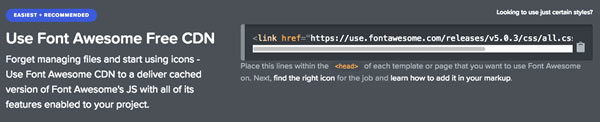
Originally, my Bootstrap template used it as a web font. For the update, I chose to use the same method. They recommend to use their free CDN.

Font Awesome CDN Screenshot

I picked out a Bootstrap template that used an older version of Font Awesome to upgrade. The template had icons for web applications and a few brand icons into. The update show the web application icons and not the brand icons. Font Awesome changed their naming convention for the icons.

Screenshot with missing icons

Without the new names, the icons don’t show. I got a little box with text in it. Once I changed to the new naming convention, fab, my social media brand icons displayed.

Screenshot with icons

After fixing the social media icons, I switched the other icons to match their new naming convention.

With 5.0, Font Awesome has a free and pro version. I’m using the free version. In this version, the icons are a bit different from the previous version. I didn’t like one of the icons and found out that I didn’t have a choice. If I wanted a better one, I had to upgrade to the pro version. The quicker option was to pick a different icon for this project. I picked a different one. It works fine for this project.

Summary

Switching to 5.0 was easy. Not all upgrades you smoothly. Sometimes you spend hours trying to figure out what went wrong. Not this time. A few quick switches and my template look good.

TOP 5 Reasons for Switching to TypeScript

If you write front-end code, you have built a website using HTML, CSS and JavaScript. JavaScript is popular because it is easy to code and flexible. As your website add more features, you may noticed that your JavaScript gets more difficult to add new code. JavaScript doesn’t scale very well. To deal with this, you may have switched to another framework like Node or Angular JS.

Top 5 Reasons for Switching to TypeScript

TypeScript by Microsoft helps you to write JavaScript that scales. With TypeScript, you can write it and compile it into JavaScript. Your compiled code will run on any browser or JavaScript framework that supports ECMAScript 3 or greater. When you write valid TypeScript, it compiles into valid JavaScript.

Top 5 Reasons for switching to TypeScript

At the Milwaukee .Net Users Group, David Pine explained the 5 reasons why you should switch to TypeScript.

5. Compatibility

TypeScript is compatible to ECMSScript 3 and newer.

4. Tools

You can write TypeScript using popular coding tools like Visual Studio products also support TypeScript.

3. Open Source

TypeScript is open source. It is being developed on GitHub. You can look at the specification on GitHub. You can download the source code and post issues right on GitHub.

2. Type System

You can use types that you use in other programming languages like:

  • Classes
  • Interfaces
  • Abstract Classes
  • Namespaces

1. Compilation

“If it compiles, it is one step closer to working code.” – David Pine

TypeScript compiles into simple, clean JavaScript. Valid TypeScript is also valid JavaScript. With the compiled code, you can run it in any browser.

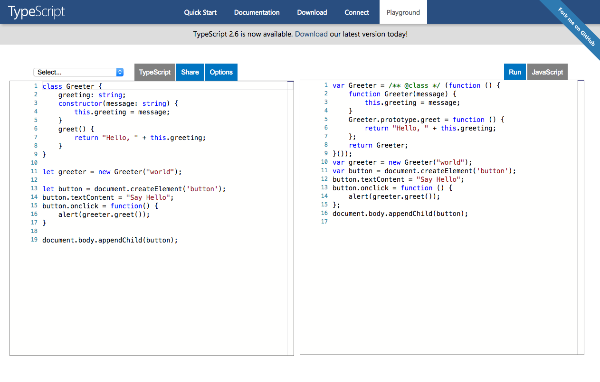
Want to see TypeScript Compiled into JavaScript?

You can go to Playland and see the TypeScript compiled into JavaScript.

TypeScript Playland Screenshot

JavaScript is every where on the web. As a developer, you have probably used and supported it in your projects. TypeScript helps you to write code using programming features that developers in other languages are used to. It creates compatible, clean JavaScript while allowing you to use the tools that your already have.

Page 12 of 31

Powered by WordPress & Theme by Anders Norén